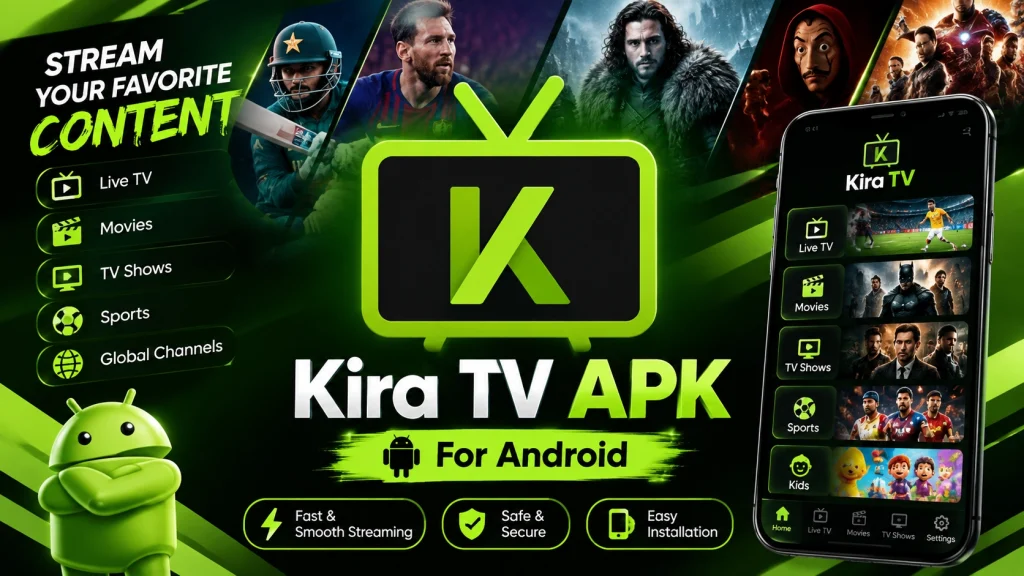
Download Krira TV APK
s:
| Page Element / Attribute | Description |
| Page Title | Krira TV APK Download Latest Version (Official) |
| Primary Call to Action | “Download Now” / “Direct APK Download” button |
| File Name Format | [Krira TV] |
| Current File Size | Approx. 10.5 MB (Optimized for quick download) |
| Security Status | 100% Secure, Virus-Free, and Tested APK |
| Step-by-Step Guide | Enable “Unknown Sources”, download APK, and tap install |
| Download Speed | High-speed CDN mirror links for instant retrieval |
| Version Update Date | Latest available release for 2026 |
| Compatibility Note | Requires Android 7.0+ (No root access needed) |
| Customer / User Support | FAQ section, installation troubleshooting, and contact link |
Latest Krira TV File
Obtaining the correct and most up-to-date installation package is the first critical step for Android users who want to enjoy uninterrupted sports streaming. The application developers regularly release performance updates, bug fixes, and refreshed broadcast links to ensure reliable service. Securing the genuine, latest version protects your mobile device from outdated protocols and prevents sudden connection failures when trying to watch live cricket matches or football tournaments.
Find the Correct APK
Because third-party streaming applications operate outside official digital storefronts like the Google Play Store, users must navigate external web repositories. It is essential to look for reputable APK mirror sites or trusted developer blogs that host clean, unmodified files. Avoid unverified or suspicious websites that claim to offer “modded” or “premium” unlocked versions, as these files often contain hidden adware or malicious code.
Check File Before Installation
Before moving forward with the setup process, taking a moment to inspect the downloaded file is a smart precaution. Check the file size against known benchmarks to ensure the download completed successfully without corruption. Running a quick scan using a mobile security application adds an extra layer of defense, confirming that the file is safe to deploy on your personal Android device.
Start the Download
Once you have verified the correct source link, tap the download button to save the installation package directly to your smartphone or tablet’s internal storage. Ensure your internet connection remains stable throughout the download process to avoid incomplete file transfers. After the progress bar reaches completion, you will be fully prepared to proceed with the manual device setup and installation phase.
Install the Krira TV on Android
Enable APK Installation
Because Android operating systems restrict external installations by default for security reasons, you must adjust your device settings before setting up the application. Navigate to your phone settings, locate the security or privacy menu, and enable the permission option that allows installations from unknown sources or your specific file manager application. This simple step grants your device authorization to process third-party APK packages smoothly.
Open the Downloaded File
After granting the necessary security permissions, use your phone’s built-in file manager or download Krira TV folder to locate the saved application file. Tap directly on the file name to trigger the system installer interface. A prompt will appear on your screen outlining the basic app details and requesting confirmation to initiate the setup sequence.
Complete the Installation
Review the requested app permissions on your screen and tap the install button to begin the automated setup process. The system will extract the necessary components and configure the application within seconds. Ensure you do not interrupt your phone during this phase so that all system files register correctly without encountering installation interruptions or errors.
Launch Krira TV
Once the installation finishes successfully, you will see a confirmation message accompanied by options to open the application immediately or finish later. Tap the open button to launch Krira TV directly from your screen. The app will open to its clean home dashboard, giving you instant access to ongoing live sports streams, team schedules, and match-based viewing categories.
Krira TV Device Compatibility
Android Phones
Krira TV APK is engineered natively for the Android operating system, ensuring seamless performance across a wide variety of smartphone brands. Whether you use a high-end flagship device or a budget-friendly model, the app scales its interface smoothly for everyday mobile viewing.
Android Tablets
Tablet users benefit from a flexible, responsive layout that expands graphic elements to fit larger display screens. This larger canvas provides an enhanced, immersive viewing experience for tracking fast-paced cricket matches and global football tournaments comfortably.
Different Android Versions
The application supports a broad range of Android software iterations. It runs efficiently on both modern operating system versions and older software builds, making it accessible to users with varying generations of mobile hardware.
Storage & Internet Requirements
The compact APK file consumes minimal internal storage space, requiring very few megabytes to install. However, smooth video playback demands a stable internet connection, making a reliable Wi-Fi network or fast mobile data essential.
Screen Compatibility
The software automatically adjusts its display ratios to match different screen dimensions. It transitions effortlessly between portrait menu navigation and landscape full-screen video playback without distorting scoreboards or video quality.
Download & Installation Issues
Download Not Starting
If your download stalls or refuses to begin, check your internet connection stability or clear your browser cache. Switching from mobile data to a stable Wi-Fi network often resolves frozen download links instantly.
APK Not Installing
An installation failure usually occurs when security permissions are disabled. Ensure you have allowed installations from unknown sources in your device settings before tapping the file again.
Installation Errors
Corrupted file downloads can trigger parsing errors during setup. Delete the faulty file, re-download the latest package from a verified source, and attempt the installation process fresh.
Compatibility Problems
If the app fails to open or crashes upon launch, your device software may fall below the minimum system requirements. Updating your phone’s operating system usually resolves these rare compatibility bottlenecks.
Simple Fixes for Common Issues
Restarting your smartphone, freeing up minor internal storage, and verifying file integrity remain the quickest troubleshooting steps to fix most everyday download and setup errors.